TLauncher – Minecraft Launcher

TLauncher is a Minecraft launcher that helps users manage and start Minecraft on a computer.
Security Verified
TLauncher is a Minecraft launcher that helps users manage and start Minecraft on a computer. It lets users choose a game version, set basic options, and use supported mods and other game content. The launcher can also help with skins, Java settings, and multiplayer setup. Its main role is to give users one place to prepare Minecraft before starting the game.
What Is TLauncher?
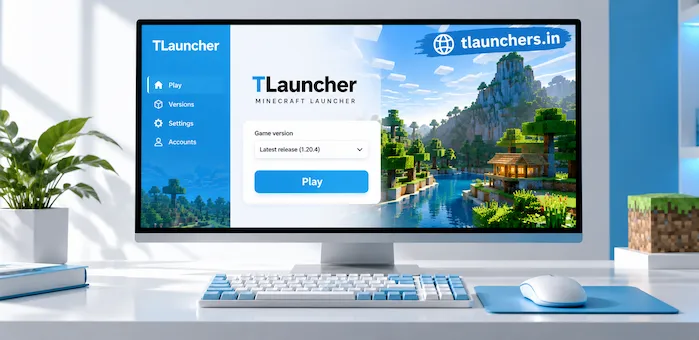
TLauncher is software that helps users start and manage Minecraft. It is not the Minecraft game itself. Instead, it works as a launcher between the user and the game. Users can choose a game version and set options before they start playing. The available tools can change based on the game version and the setup being used. This makes the launcher useful for users who work with more than one Minecraft setup.
How Does TLauncher Work?
The process starts with a choice of Minecraft version. After that, users can check settings such as Java and memory. They can also add supported mods or other content. Once the setup is ready, the launcher starts the selected game version. Each Minecraft release can have its own needs. Mods and servers can also need a certain version. Checking these needs before launch can help avoid errors.
TLauncher Features
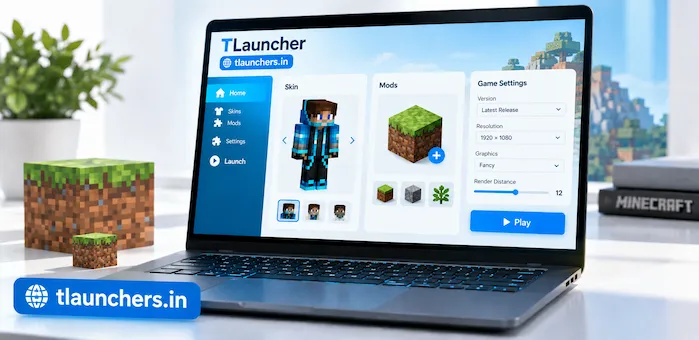
TLauncher brings several Minecraft tools into one place. Users can select game versions, manage supported mods, adjust memory, use skins, and prepare the game for multiplayer. The exact options can depend on the game version and the user’s setup. These features can make it easier to keep different Minecraft setups apart.
Minecraft Version Selection
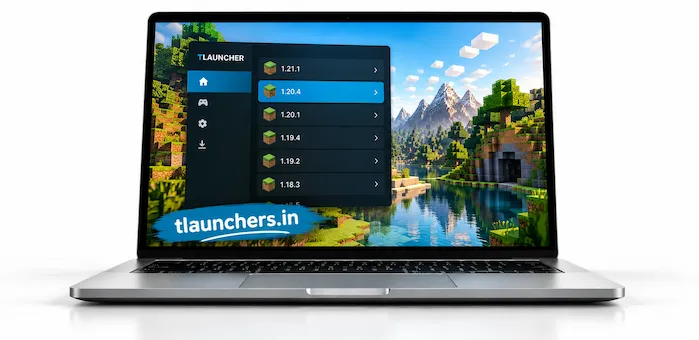
Version selection lets users choose a supported Minecraft release before starting the game. This can help when a mod or server needs an older release. It can also help users keep separate setups for different game versions. Each release can have different files and needs. Users should check the version used by a mod or server before making a change.
Mods and Modpacks
Mods can add new items, features, tools, or game changes. A modpack can combine many mods into one setup. TLauncher can support these options when the required files match the selected Minecraft version. A mod may also need Forge or Fabric. Users should check the mod version before installing it. A wrong match can cause crashes or stop the game from opening.
Forge, Fabric, and OptiFine
Forge and Fabric are tools that help run many Minecraft mods. OptiFine can add graphics and performance options to supported game versions. Each tool has its own version needs. A mod made for Forge may not work with Fabric. The same applies to different Minecraft releases. Users should match the game version with the required tool before adding any extra files.
Skins
Skins change the look of a Minecraft character. The launcher can provide skin options for supported setups. Skin features can depend on the account and game setup. If a skin does not show, users should check their account, skin settings, and game version. A skin changes the character’s look. It does not add new game features.
Java and Memory Settings
Java is needed for many desktop Minecraft versions. The required Java version can change with the game release. Memory is another key setting. It controls how much RAM the game can use. Too little memory can cause slow play or crashes in some setups. Giving the game too much memory can leave less RAM for Windows and other apps. A balanced setting is better than using all available RAM.
Multiplayer Support
Multiplayer lets players join shared Minecraft worlds and game modes. The game version must often match the server version. Some servers may also need certain mods or other files. Users should check the server rules before joining. They should also check the server address and game version. A wrong version or address can cause a connection error.
TLauncher Minecraft Versions
Minecraft has many releases, and each one can work in a different way. A mod, world, or server may need a certain release. The launcher can help users choose from supported versions. Keeping separate setups can also make it easier to use different releases without changing one main setup.
Older Minecraft Versions
Older releases can still be useful for some mods, worlds, and servers. A mod made for an old release may not work on a newer one. The same can happen with saved worlds. Users should make a backup before opening an old world in a new release. A backup can help protect the world if a version change causes a problem.
Minecraft Snapshots
Snapshots are test releases of Minecraft. They can include features that are still being worked on. A snapshot may change more than a stable release. Mods and servers may also take time to support it. Users who want a stable setup should check support before using a snapshot. Test releases are better suited to users who want to try new game features.
Version Compatibility
Version matching is important when using mods, modpacks, servers, or other game content. A mod made for one release may fail on another release. The same rule can apply to a server. Users should check the game version, mod version, and server version before connecting or installing files. This simple check can prevent many common errors.
TLauncher for PC and Windows
TLauncher can be used on supported desktop computers. A PC needs enough RAM, storage, and processing power for the chosen Minecraft setup. Large modpacks can need more resources than a basic game setup. High graphics settings can also increase the load on the computer. Users should check their full system instead of looking at one hardware part.
For PC
A good PC setup should have enough free storage for Minecraft, worlds, mods, and other files. RAM can affect how well the game handles large setups. The processor and graphics hardware also affect game performance. Users can close apps they do not need before starting the game. This can free system resources for Minecraft.
For Windows
Windows users may need a suitable Java version for the Minecraft release they choose. An old or wrong Java version can cause the game to fail during startup. Windows security settings can also block an installer or app. If the launcher does not start, users should check Java, file access, and security settings before changing other files.
Windows users can learn more about the Windows-specific setup, Java settings, performance options, and common issues in our TLauncher for Windows guide.
TLauncher System Requirements
The needed hardware depends on the Minecraft version and the content being used. A basic setup needs fewer resources than a large modpack with high graphics settings. RAM, CPU power, graphics hardware, and storage all matter. Users should also leave some free storage for new worlds and game files. Checking these points before installation can prevent many setup problems.
TLauncher Download and Installation
The first step is to get the correct installation file from a trusted source. Users should check the source before opening the file. They should also avoid modified installers from unknown sites. A changed file may include software that was not part of the original package. After getting the right file, users can run the installer and follow the setup steps.
TLauncher Installer
The installer adds the needed files to the computer. It may also ask users to choose an install folder. Users should read each setup screen before moving forward. They should not install extra software that they do not need. If an installer fails, users can check the file, storage space, folder access, and security settings. A new file should come from a trusted source.
How to Install TLauncher
Open the installer and follow the steps shown on screen. Choose the install location if the setup asks for one. After the process ends, open the launcher and check the main settings. Select a Minecraft version that matches the user’s needs. Java and memory settings should also be checked before the first launch. If the game fails to start, users can check version and Java support first.
If you need the installation file and setup steps, see the TLauncher Download guide for the complete process.
TLauncher Java
Java is an important part of many desktop Minecraft setups. Different game releases can need different Java versions. A wrong version can cause a launch error. It can also cause problems with some mods. Users should check the Java needs of the selected Minecraft release before changing the Java setup.
Java Compatibility
Java compatibility depends on the Minecraft version being used. One Java version may work well with one release but not another. Users should check the needs of the selected release before making changes. If Minecraft stops at startup, checking the Java version can be a useful first step.
Java and Mods
Mods can have their own Java needs. A mod may also need a certain Minecraft release and mod loader. Users should check all three before installing it. Matching the game, loader, and Java setup can reduce crashes. It can also make it easier to find the cause of an error.
TLauncher Java for Android
Java-based Minecraft apps on Android can work in a different way from desktop software. Android has its own system limits and app rules. Users should check the exact app, Minecraft edition, and Android version before installing a mobile solution. Support can vary by device. Desktop features should not be assumed to work in the same way on a phone.
TLauncher Login and Accounts
Account access can affect Minecraft features such as multiplayer and skins. Users should use a trusted sign-in method and keep their account details private. Login problems can come from wrong details, network issues, account settings, or service problems. Users should not give passwords to people who offer to fix an account issue.
TLauncher Login
The login process depends on the account and sign-in method being used. If a login fails, users should check the account details and internet connection first. They should also make sure they are using the correct sign-in method. Unknown websites should not be used to enter account passwords.
TLauncher Accounts
An account can affect which Minecraft features a user can access. Some features need game ownership or account checks. Users should know which account they are using before trying to access a feature. Account details should stay private. Sharing login information can put the account at risk.
Licensed Minecraft Accounts
A licensed account is linked to legitimate game ownership. Some Minecraft services and multiplayer features can use account checks. Users should sign in with their own account and keep the password private. They should also avoid sites that ask for account details in return for game access or special features.
TLauncher Skins
Skins let players change the look of their Minecraft character. Skin support can depend on the account and game setup. If a skin does not appear, users can check the skin settings and account status. They should also make sure the selected setup supports the skin feature. Skins change the character’s appearance but do not add new gameplay systems.
TLauncher Servers
Minecraft servers let players join shared worlds and game modes. A server can have its own rules, version, mods, and account needs. Users should check these details before joining. The game version often needs to match the server version. A wrong address or game version can stop the connection.
Minecraft Servers for TLauncher
A server must support the game setup used by the player. Users should check the server version before joining. Some servers may also need specific mods or other files. Server rules can differ from one server to another. Reading the server information first can help prevent connection problems.
TLauncher Server Address
A server address tells the game where to connect. It can be a name or a number-based IP address. Users should copy the address exactly as shown by the server owner. A small mistake can cause the connection to fail. The port may also be needed for some servers.
TLauncher Servers IP
An IP address gives the game a direct server location. Some servers use a domain name instead of a number-based address. Users should use the address given by the server owner. If the connection fails, they should check the address, port, game version, and server status.
TLauncher SMP Servers
SMP means Survival Multiplayer. These servers let players share a survival world with other players. Each server can have its own rules and game style. Some may use extra mods or plugins. Users should check the server version and rules before joining an SMP world.
TLauncher BedWars Servers
BedWars is a Minecraft game mode based on team play. Players protect their bed and try to destroy the beds of other teams. Access depends on the server and game version. Users should check the server address and supported version before joining. A matching setup is needed for a smooth connection.
Cracked Minecraft Servers for TLauncher
Some servers use different account checks from servers that require standard online authentication. These are often called cracked servers. Users should understand the account and security risks before joining such servers. They should also check the server rules and sign-in method. Never share a personal account password with a server owner or another player.
TLauncher for Android and Mobile
Android and desktop Minecraft setups can have different needs. Mobile devices use a different operating system and may have less storage or memory than a PC. Users should check the exact app they plan to use before installing it. Similar names can belong to different apps, so the source and supported Minecraft edition should be checked first.
TLauncher for Android
Users who search for an Android version should check the app source and device support before installing anything. The features of a mobile app may differ from those found on a desktop setup. Android version, device hardware, storage, and Minecraft edition can all affect compatibility. Users should check these points before installation.
TLauncher Mobile
Mobile Minecraft use can need different controls and settings from a PC. Phone hardware can also limit large modpacks or high graphics settings. Users should check storage, RAM, Android version, and app support before changing their setup. A feature available on PC may not work in the same way on a mobile device.
Is TLauncher Safe?
Safety depends on the file source, installation package, device, and security settings. Users should get software from a trusted source and avoid modified files from unknown sites. A security scan can also help check a downloaded file. Account passwords should only be entered into trusted sign-in pages. These steps can lower common security risks.
Is TLauncher Safe to Use?
Users should check the source before installing the software. They should avoid unknown installers and modified packages. Keeping Windows or macOS updated can also help protect the computer. Security software should remain active during installation. If a warning appears, users should check what caused it before ignoring the warning.
Is TLauncher a Virus?
A security warning does not always mean that a file contains a virus. Detection can depend on the file, source, software version, and security tool. Users should check the exact file and the reason for the warning. They should not ignore a warning without finding out what caused it.
Does TLauncher Have a Virus?
Users should check the exact file they plan to install. A file from an unknown site may not be the same as a file from a trusted source. Modified installers can also contain unwanted changes. Users should avoid files that show strange behavior or ask for access that they do not need.
Is TLauncher Safe for PC?
PC safety depends on the source of the software and the way it is installed. Users should check the file, keep security tools active, and avoid modified packages. They should also keep account details private. These steps help reduce common risks when installing software.
Is TLauncher Safe for Mac?
Mac users should check the source before opening an unfamiliar app. System warnings should not be ignored without checking their cause. Users should also verify the file and keep macOS security tools active. Unknown apps should not be given extra access unless the user understands why that access is needed.
Security and Privacy
Users should never share account passwords with websites, server owners, or other players. They should also avoid entering account details into pages that look unrelated to the expected sign-in service. Mods, skins, and other files should come from sources that the user trusts. Good account and file security can reduce the chance of data loss or unwanted software.
TLauncher Alternatives
Other Minecraft launchers offer different tools for game versions, mods, accounts, and separate game setups. Users can compare them based on the features they need. Platform support, mod management, account support, and instance control are useful points to check. A simple feature comparison can help users understand how each option works.
Official Minecraft Launcher
The official Minecraft launcher is built around Minecraft’s official game services and account system. It provides the standard way to install and start supported Minecraft versions. Users who want an official game setup can use this option.
Lunar Client
Lunar Client focuses on Minecraft gameplay features and client-side tools. Its purpose differs from a general launcher. Users should check its supported game versions and features before using it. The best option depends on the type of Minecraft setup the user wants.
Prism Launcher
Prism Launcher focuses on separate Minecraft instances. Users can keep different game versions and mod setups apart. This can help when a person needs several different Minecraft configurations. Each instance can have its own settings and files.
MultiMC
MultiMC also uses separate Minecraft instances. This lets users keep different versions and mod setups in separate locations. It can be useful for people who often switch between different game configurations.
GDLauncher
GDLauncher provides tools for managing Minecraft setups and modded game instances. Its features and supported systems can differ from other launchers. Users should check its current requirements and tools before switching.
TLauncher vs Alternative Launchers
Launchers can differ in version support, mod tools, account features, and instance control. Users should compare the features that matter to their own setup. Checking platform support and Minecraft version support is also important. This gives users a clear way to choose a launcher without relying on broad claims.
TLauncher Troubleshooting
Most launcher problems come from a few common causes. These include wrong game versions, Java issues, missing files, login errors, network problems, and system limits. Users should check the exact error before changing many settings. Changing one setting at a time makes it easier to find the cause.
TLauncher Won’t Open
If the launcher does not open, check Java, the installed files, system access, and security software. A damaged installation can also cause the problem. Users should first confirm that the software and Java setup match the computer and selected Minecraft version. Reinstalling should be done only after checking the installer source.
TLauncher Download Problems
A failed download can come from a weak connection, browser issue, storage limit, or source problem. Users should check the internet connection and free storage first. They should also verify the file before opening it. A new installer should come from a trusted source.
TLauncher Installation Problems
Installation can fail when the installer is incomplete, blocked, or unable to write to the chosen folder. Users can check folder access, storage space, and security settings. They should also make sure the installer matches their operating system. Unknown modified installers should not be used as a quick fix.
TLauncher Login Problems
Login errors can come from wrong account details, network problems, account settings, or authentication issues. Users should check the sign-in method and account status first. They should not give their password to another person for help. If the service itself has an issue, waiting for the service to recover may be needed.
TLauncher Server Problems
Server problems can come from a wrong address, wrong game version, missing mod, network issue, or server downtime. Users should check the server details before changing their game setup. If other servers work, the issue may be linked to that specific server. Checking the server status can help narrow down the cause.
TLauncher Performance Problems
Game speed can depend on RAM, graphics settings, mods, shaders, background apps, and PC hardware. Users can lower demanding settings to test whether performance improves. Removing heavy mods for a test can also help find the cause. RAM should be set at a level that leaves enough memory for Windows and other apps.
Is TLauncher Down?
A problem with the launcher does not always mean the whole service is down. The cause may be a local file, internet issue, account service, or server problem. Users should check the error message and test their connection first. This can help separate a local issue from a wider service problem.
TLauncher Pros and Considerations
The launcher brings several Minecraft settings into one place. Users can choose supported versions, manage game settings, use supported mods, and prepare multiplayer setups. At the same time, different versions and extra files can have different needs. Users should check compatibility before adding new content or changing an existing setup.
TLauncher Advantages
A central launcher can make version management easier. Users can keep different Minecraft releases and settings in one place. Support for mods, skins, Java settings, and multiplayer can also reduce the need to manage each option by hand. These features are most useful when they match the user’s Minecraft setup.
TLauncher Limitations
Compatibility can change between Minecraft versions, mods, Java releases, and servers. A setup that works with one version may not work with another. Some features can also depend on the account or platform being used. Users may need to change settings when moving to a new Minecraft release.
Frequently Asked Questions
What Is TLauncher?
It is software that helps users manage Minecraft versions, settings, and supported game content before starting the game.
Is TLauncher Safe?
Safety depends on the file source, installation package, device, and security practices used during installation.
Is TLauncher a Virus?
A security alert should be checked against the exact file and its source before a final decision is made.
Does TLauncher Have a Virus?
Users should verify the file and avoid modified or suspicious packages from unknown sources.
What Is TLauncher Minecraft?
It refers to using the launcher to manage and start Minecraft with supported versions and settings.
What Is TLauncher Login?
It refers to the account sign-in process used with supported authentication services.
What Are TLauncher Skins?
They are character appearance options that change how a Minecraft player looks.
What Are TLauncher Servers?
They are multiplayer Minecraft servers that players can join when their game setup meets the server requirements.
What Is TLauncher Server IP?
It is the numerical address used to connect to a server when the server provides an IP-based connection.
What Are TLauncher SMP Servers?
They are Survival Multiplayer servers where players share a survival-based Minecraft world.
Can TLauncher Play BedWars?
It can connect to compatible BedWars servers when the game version and server settings match.
What Are TLauncher Alternatives?
They are other Minecraft launchers with different tools for versions, mods, accounts, and game instances.
Is TLauncher For Android?
Android support depends on the specific application, Minecraft edition, device, and operating system version.
Conclusion
TLauncher gives Minecraft users one place to manage supported game versions, settings, mods, skins, Java options, and multiplayer setups. It can make version management easier and help users keep different configurations separate. Users should check version requirements before adding mods or joining servers. They should also verify software sources, protect account details, and review security warnings before opening unfamiliar files. Good setup and basic security checks can prevent many common problems.
TLauncher and all related trademarks, logos, and intellectual property belong to their respective owners. This website is an independent informational blog and is not affiliated with, endorsed by, or officially connected to TLauncher or its developers.